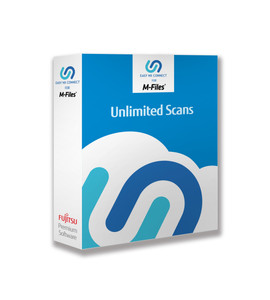


Easy NX Connect Perpetual Software License for fi-7300NX for less than 1M scans with 1 year maintenance contract
Price:
$599.00
Part Number:
ENXC-LOW-0001
Easy NX Connect Perpetual Software License for fi-7300NX for less than 1M scans with 1 year maintenance contract.
ENXC-LOW-0001 includes maintenance for 1 year and allows for up to a million scans per server. One software license per server.
Easy NX Connect software is a must have for simplifying any scanning process to the cloud. Works with the Fujitsu fi-7300NX network scanner and NX Manager. Easy NX Connect provides several ways to authenticate and provide multiple cloud connections.
Example Use case #1:
Badge in with a NFC card or use a PIN/Password. Automatically create three job buttons unique to every user in the organization. One for the user’s email, user’s home directory, and one for a special group email. It is simple for both the user and the IT department to setup.
Example Use case #2:
Badge in with a NFC card or use a PIN/Password. Automatically create job buttons unique to every user in the organization for their Box or OneDrive accounts.
Authentication
- NFC to AD
- NFC to Local DB
- PIN/Password to AD
- PIN/Password to Local DB
Connectors
- Box
- OneDrive for Personal or Business (Office365)
- AD Email & Folder
- Local DB Email & Folder
- Web Mail
NFC Cards
- Felicia
- Type-A (Mifare)
- Type-B (Mifare)
Requirements for Easy NX Connect
Server:
- NX Manager
Software:
- Windows Server 2012
- Windows Server 2012 R2
- Windows Server 2016
- Windows Server 2019
- .Net Framework 4.5.2 or later
- IIS 8.0 or Later
- SQ Server 2014 Express Edition (Installed automatically)
- Browser: Internet Explorer 10 & 11
Hardware:
- CPU: 3.5 GHz quad-core processor or higher
- Memory: 16 GB or more
- Disk space 500 GB or more of free disk space (Recommended)